Mossybook Parents
The school day has a lot
to tell you.
PowerSchool has the grades. Schoology has the assignments. ParentSquare has the notices. Mossybook Parents brings the important parts together, every school morning.
Get startedmossybook parents
Know what needs
your attention.
One place for grades, missing work, school notices and the dates that matter. For every child, across PowerSchool, Schoology and ParentSquare.
- Keep up each morning. A daily email and phone-friendly view of school.
- Get the context. Assignment details, teacher feedback when available, and links to the original.
- Know where to help. Upcoming tests, low scores and printable practice sheets.
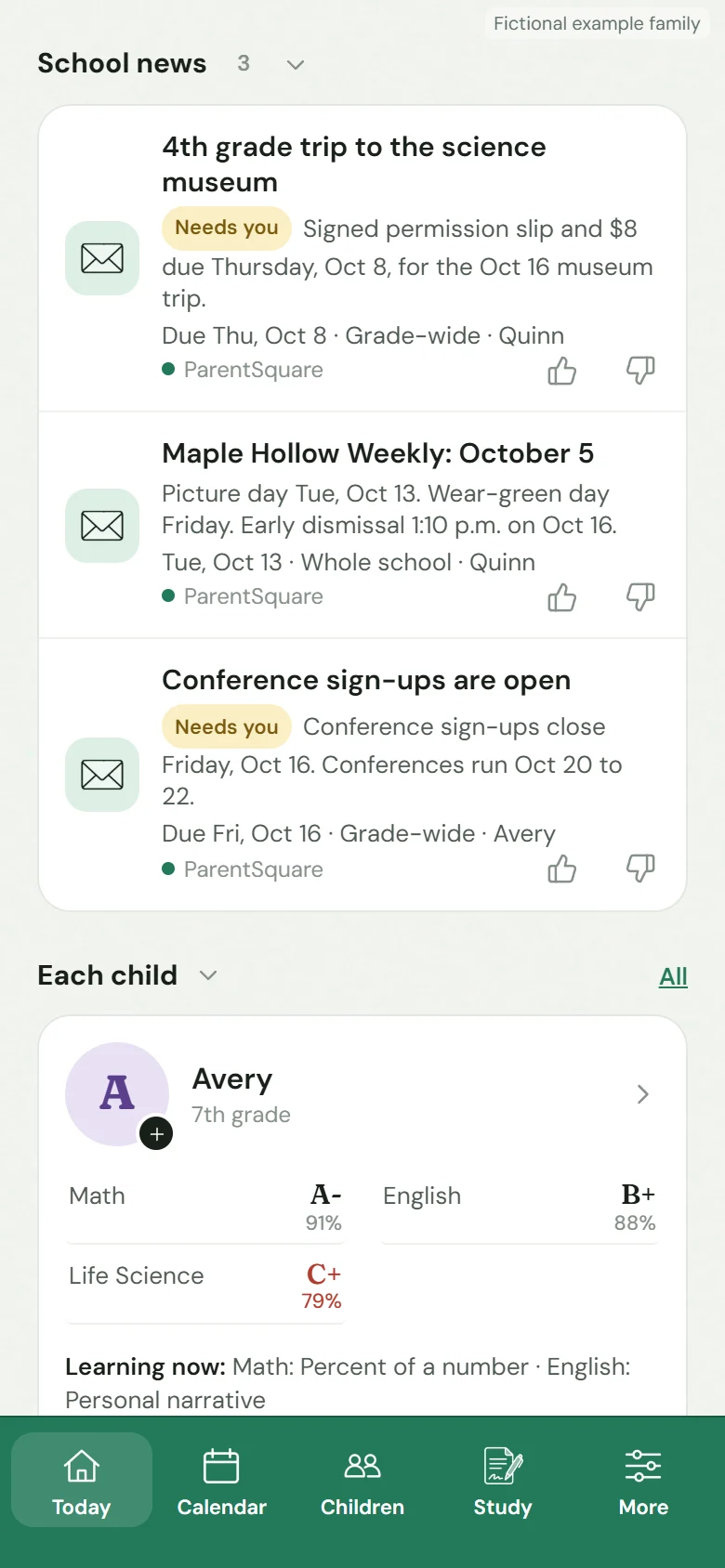
Parents app · Fictional family
Set up on your phone
Your whole family, in one place.
- 01
Add your children.
One family account, with every child’s grade and school information kept in context. Invite another parent or caregiver with their own sign-in.
- 02
Connect the school apps.
Sign in to PowerSchool, Schoology and ParentSquare with your existing parent accounts. Passwords are encrypted and kept away from AI.
- 03
Open your morning update.
Get an email when the first results are ready. After that, school information is checked overnight on weekdays. You can leave your computer off.
Keep the facts close.
A low score is more useful when you know the assignment, date and teacher feedback. A school notice is more useful when the deadline and original post are right there.
Parents keeps those details connected. It also shows when a source is out of date or a document couldn’t be read. AI can make mistakes, and the school’s original information stays available for you to check.
Help without taking over.
See upcoming tests, download a focused practice sheet or ask a question about the school information Parents has gathered. Your child stays responsible for their schoolwork.
See how this connects to LearnStart with what’s happening at school
Be ready for the next
“Did you know about…?”
Get started For Henrico County Public Schools families.